Andruav Settings
To open the settings:
On the home screen, tap the menu (⋮).
Tap Settings.
The settings are in groups. This page shows each group in the order of the screen.
Note
Some settings are also on other screens. The PHONE > GPS tab and the PHONE > SMS tab use the same values. A change in one place changes the other place too.
Connection, FCB and Telemetry
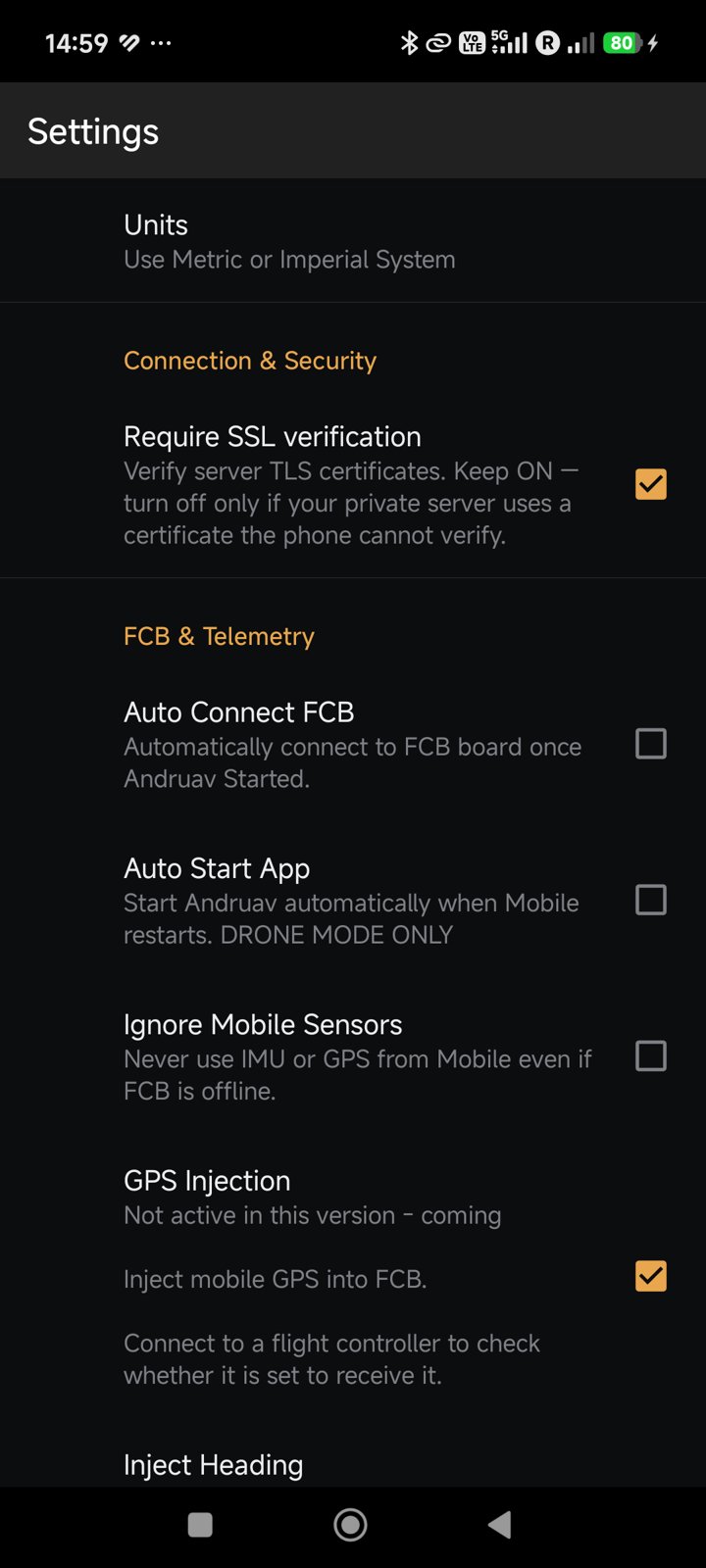
Setting |
What it does |
|---|---|
Units |
Use metric or imperial units. |
Require SSL verification |
Check the TLS certificate of the server. Keep it on. Turn it off only for a private server whose certificate the phone cannot check, for example a test air-gap server. |
Auto Connect FCB |
Connect to the flight controller when Andruav starts. |
Auto Start App |
Start Andruav when the phone starts. |
Ignore Mobile Sensors |
Never use the IMU or the GPS of the phone, also when the flight controller is offline. |
GPS Injection |
Coming. Send the phone GPS to the flight controller. See Andruav GPS Injection. |
Inject Heading |
Coming. Also send the phone compass heading. Use it only if the phone is fixed tightly to the frame. |
RTK / NTRIP
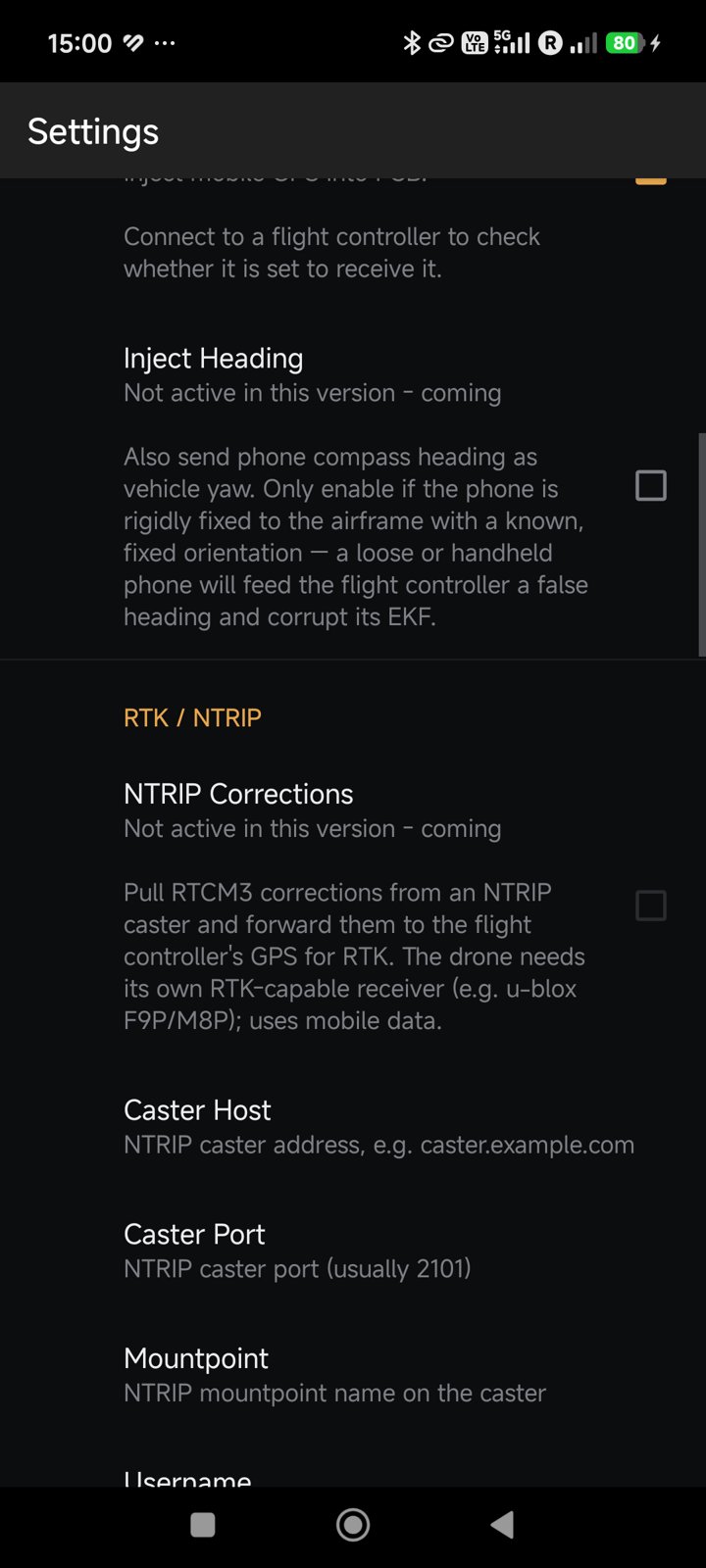
Coming. These settings are not active in this version.
Setting |
What it does |
|---|---|
NTRIP Corrections |
Get RTCM3 corrections from an NTRIP caster and send them to the GPS of the flight controller. |
Caster Host, Caster Port |
The address of the caster. The port is usually 2101. |
Mountpoint |
The mountpoint name on the caster. |
Username, Password |
Your caster account. |
Send GGA to Caster |
Send the phone position to the caster about every 10 s. VRS and network RTK casters need it. |
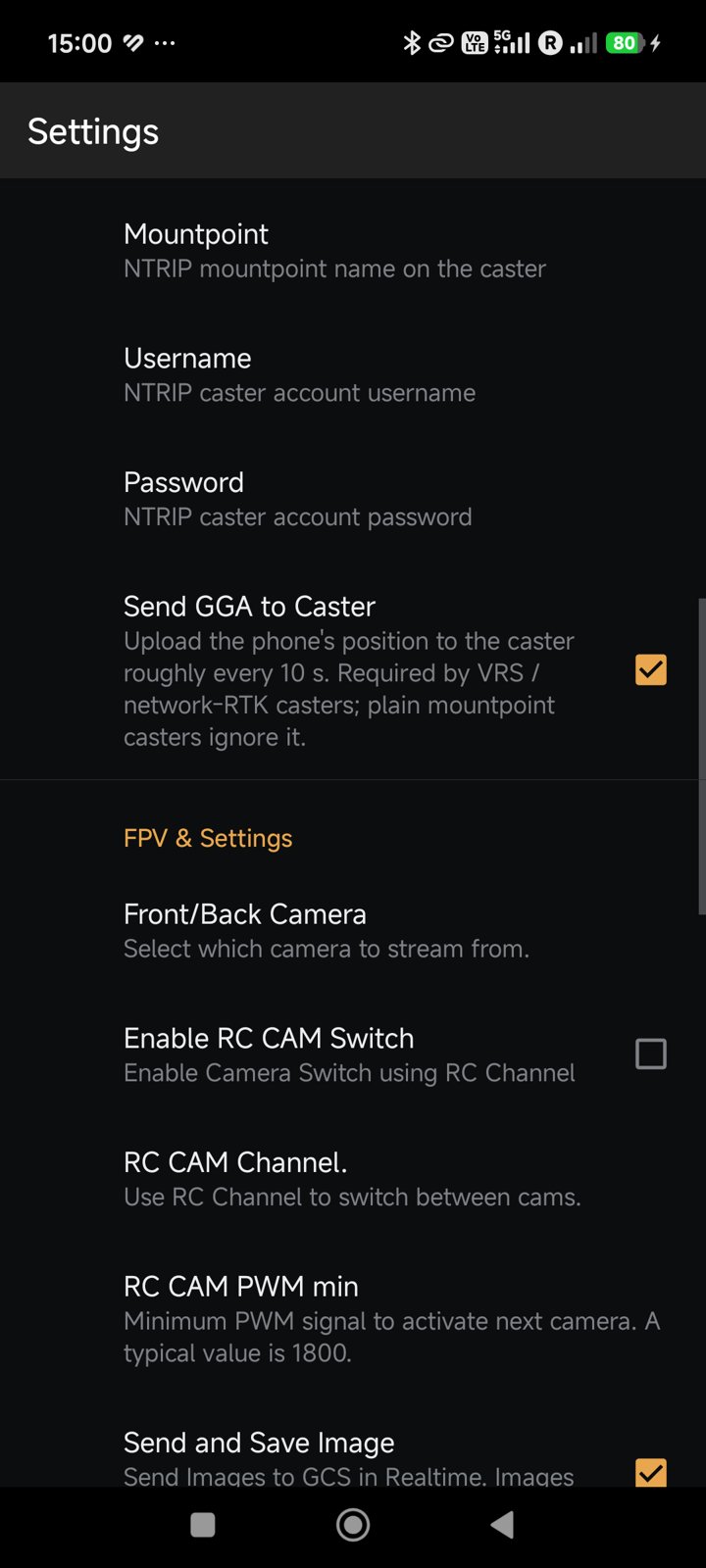
FPV and Camera
Setting |
What it does |
|---|---|
Front/Back Camera |
Select the camera for the stream. |
Enable RC CAM Switch |
Change the camera with an RC channel. |
RC CAM Channel, RC CAM PWM min |
The RC channel, and the PWM value (typically 1800) above which the next camera is selected. |
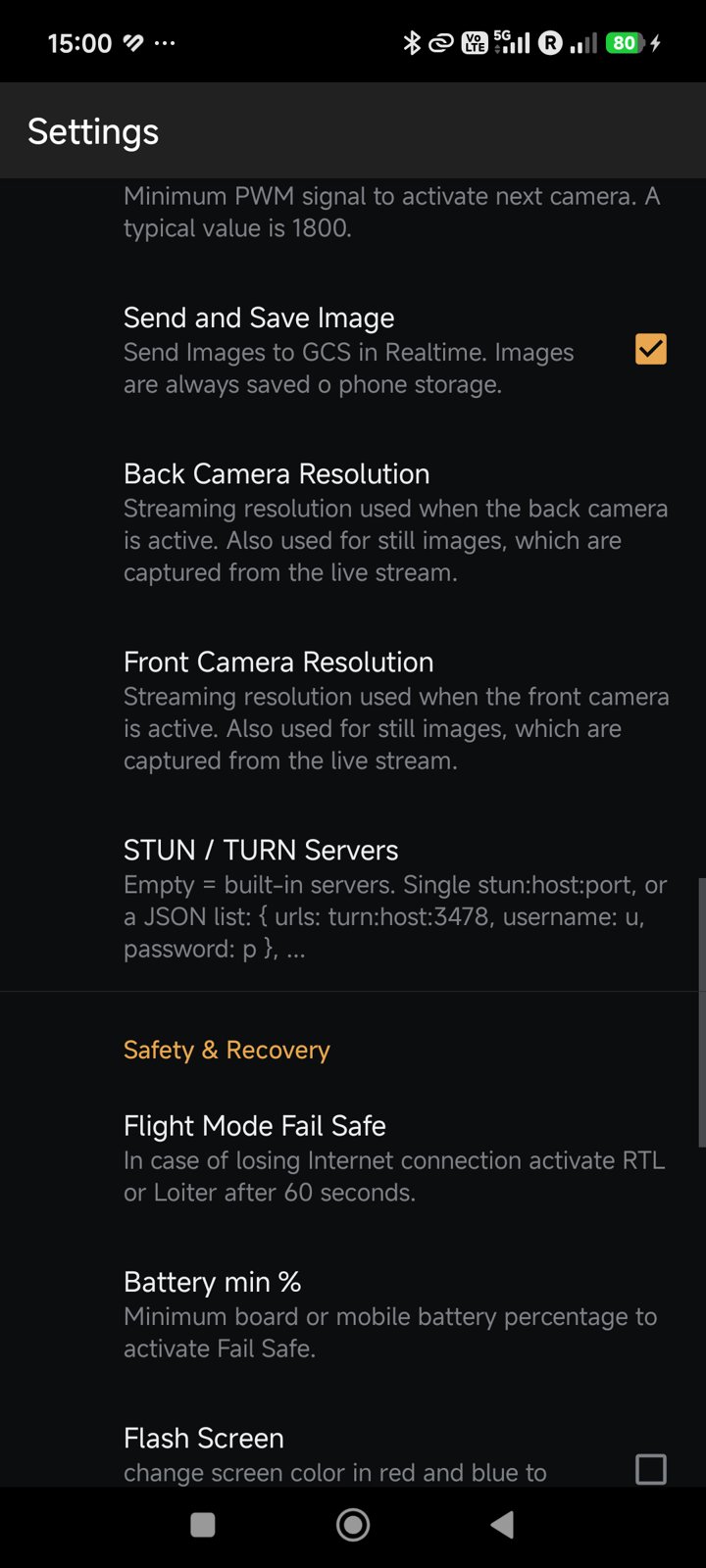
Send and Save Image |
Send photos to the ground station at once. The phone always keeps a copy. |
Back / Front Camera Resolution |
The stream resolution of each camera. Photos use the same resolution. |
STUN / TURN Servers |
The servers for the video link. Keep it empty to use the built-in servers. On an air-gap server, write the address of its TURN server. |
See Andruav FPV for the video features.
Safety and Recovery
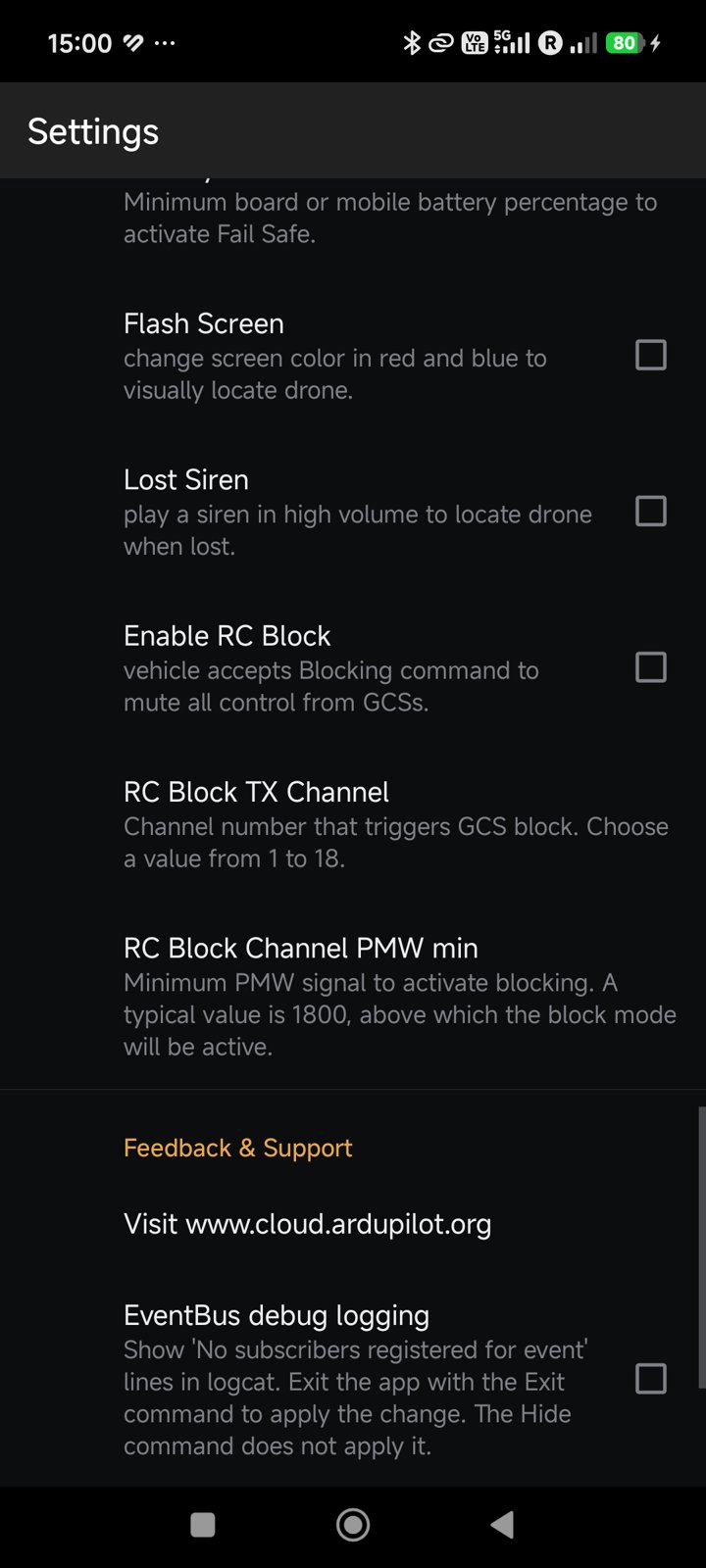
Setting |
What it does |
|---|---|
Flight Mode Fail Safe |
If the internet link is lost for 60 seconds, set RTL or Loiter. |
Battery min % |
The battery level of the board or the phone that starts the fail safe. |
Flash Screen |
Flash the phone screen red and blue, so you can find the vehicle. |
Lost Siren |
Play a loud siren, so you can find a lost vehicle. |
Enable RC Block |
Let the pilot block all control from the ground stations with an RC switch. See RC Blocking. |
RC Block TX Channel, RC Block Channel PWM min |
The RC channel (1 to 18), and the PWM value (typically 1800) above which the block is active. |
DroneEngage Native
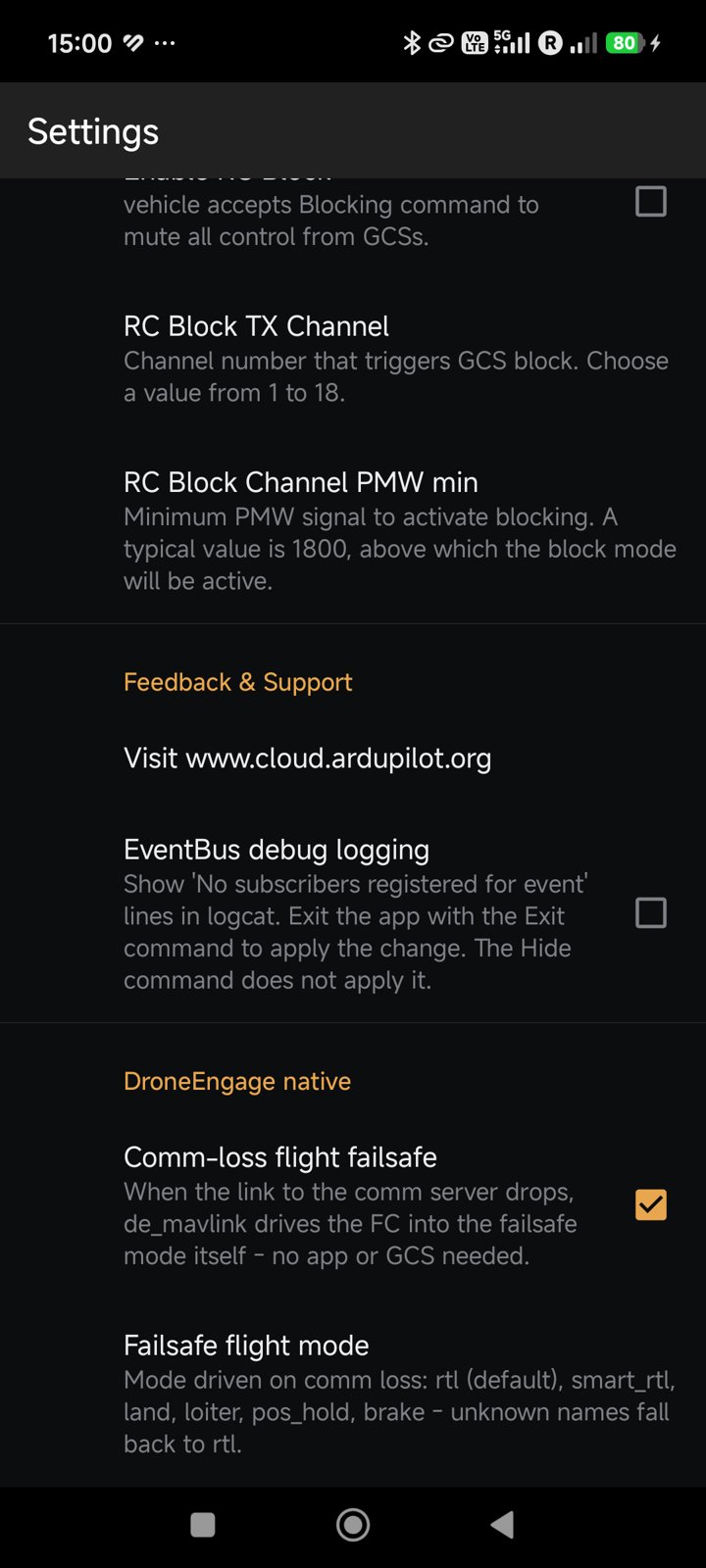
Setting |
What it does |
|---|---|
Comm-loss flight failsafe |
When the link to the server stops, |
Failsafe flight mode |
The mode to set: |
Warning
Test each failsafe in SITL before a real run. See Andruav Simulation using SITL.
Feedback and Support
Visit www.cloud.ardupilot.org — opens this wiki.
EventBus debug logging — for developers only. It adds lines to the Android log.