Andruav Simulation using SITL
You do not need a real vehicle to test Andruav. Use SITL before you use Andruav on a real drone, boat or rover. SITL can simulate ArduCopter, ArduPlane, ArduRover (rovers and boats) and ArduSub.
For a 3D view, you can also use Webots SITL.
Connect Andruav to SITL
Andruav connects to SITL over UDP. The phone and the SITL computer must be on the same network.
On the SITL computer
Start SITL and send MAVLink to the IP of the phone:
~/ardupilot/Tools/autotest/sim_vehicle.py -j4 -v ArduCopter -M \
    --out=udpout:127.0.0.1:14550 \
    --out=udpout:192.168.1.100:14550
In this example:
127.0.0.1:14550is for a Mission Planner or QGroundControl on the same computer. It does not go through Andruav.192.168.1.100:14550is the phone. Change it to the IP of your phone.
For a rover, use -v Rover. For a boat, use -v Rover --frame=motorboat.
On the phone
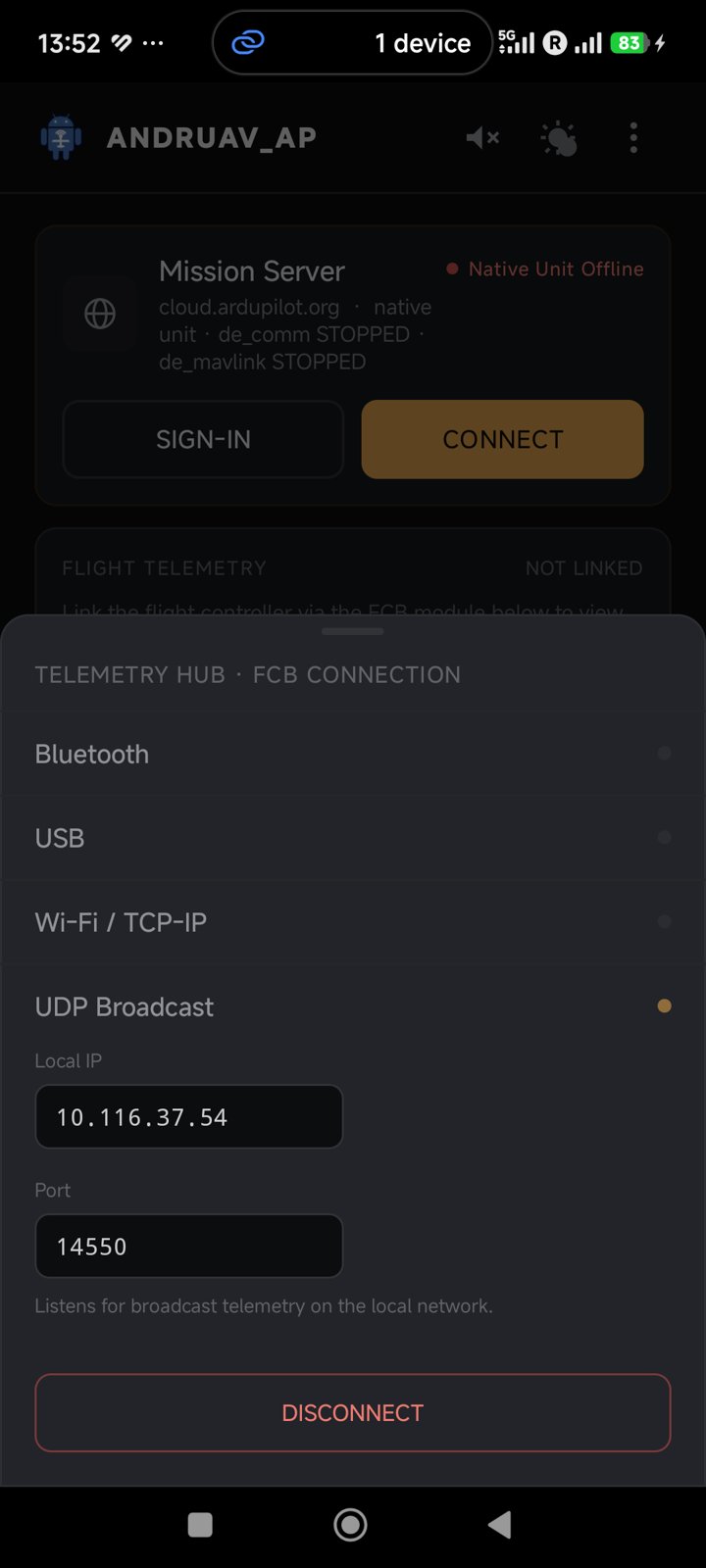
On the home screen, tap the FCB tile.
Tap UDP Broadcast.
Make sure that Port is the same port as in the SITL command (
14550). The sheet shows the Local IP of the phone. Use this IP in the SITL command.Tap CONNECT.
Tip
Give your phone a static IP on your router. Then you do not change the SITL command each time.
Check the Link
When Andruav receives MAVLink from SITL:
The FCB tile becomes green and shows LINKED.
The Flight Telemetry card shows the vehicle type, for example QuadCopter via native, the flight mode and the arm state.
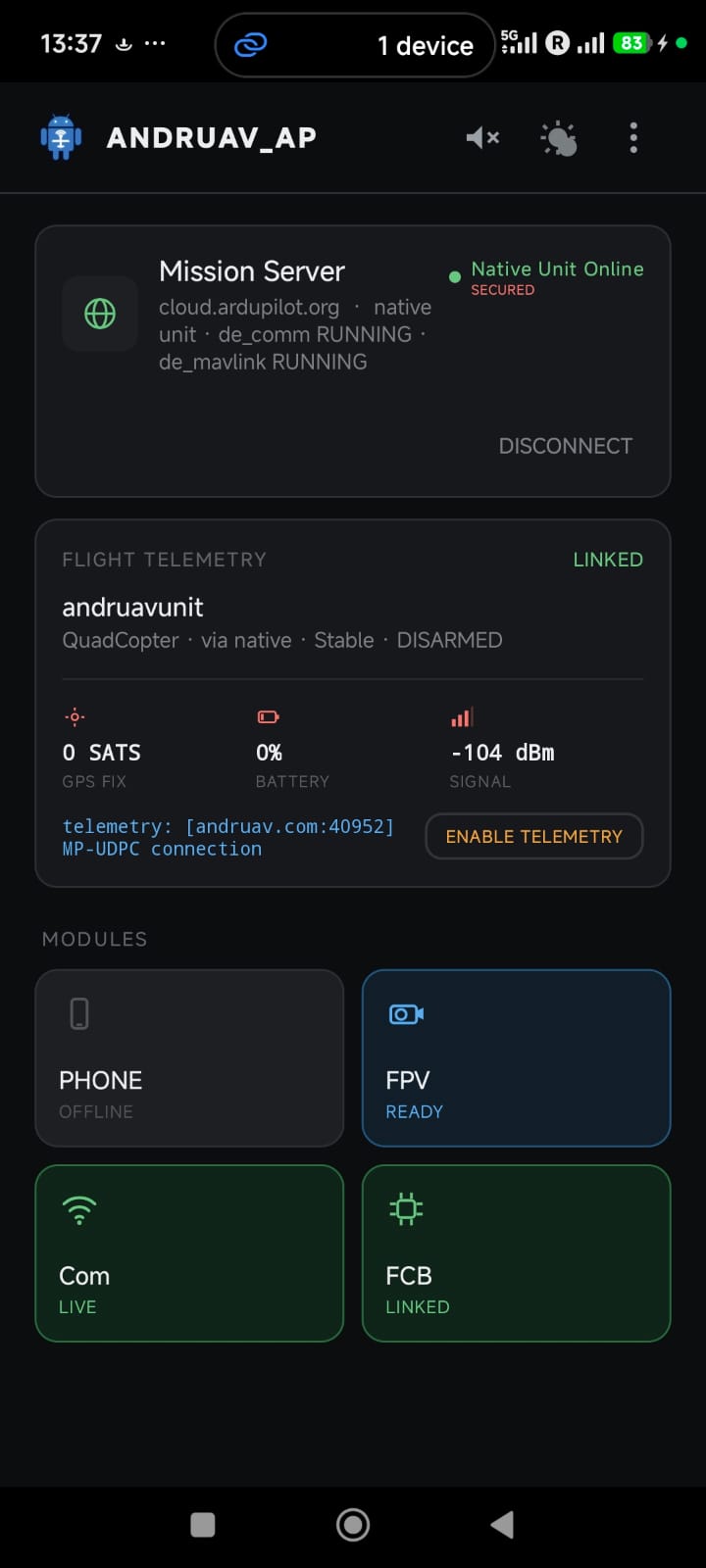
Then tap CONNECT on the Mission Server card. Open the WebClient, and control the simulated vehicle from there.
Test the Comm-Loss Failsafe in SITL
Use SITL to test the comm-loss failsafe before a real run:
Turn on Settings > DroneEngage native > Comm-loss flight failsafe.
Select the Failsafe flight mode, for example
rtl.In SITL, arm the vehicle and take off.
Stop the server link of the phone.
Make sure that the vehicle changes to the failsafe mode.
Note
The SITL link and the server link must be different. For example, use Wi-Fi for SITL and mobile data for the server. Then turn off only the mobile data in step 4.
Testing GPS Injection in SITL
GPS Injection is coming and is not active in this version. When it is available, see Testing GPS Injection with SITL for the SITL parameters.